Author: Claire Wright

  • The Importance of 3D Matterport Tours for Real Estate

    The Importance of 3D Matterport Tours for Real Estate

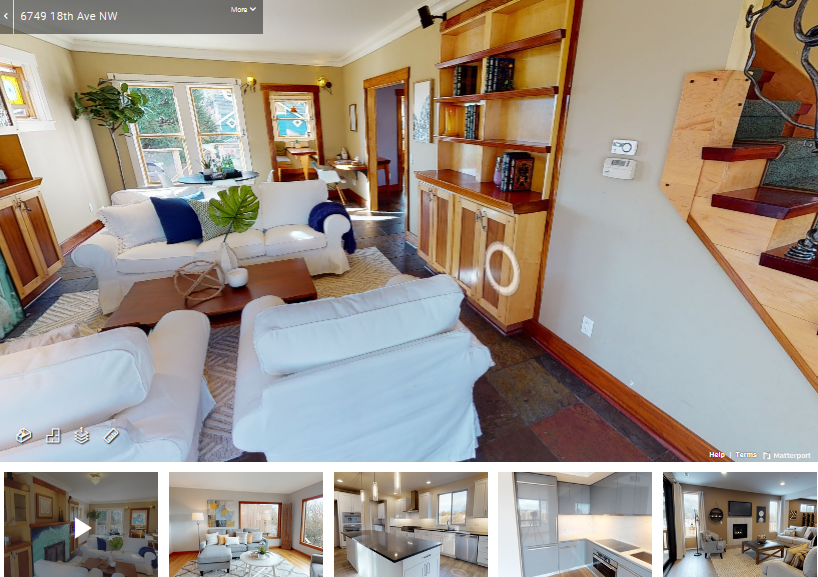
    The 3D Matterport Tours captures the whole property in a 3D video, enabling you to see the entire place even without visiting physically. It makes everything realistic by letting people immerse themselves on a virtual reality show. What’s more, it is more convenient for your potential buyers to see the full property’s features without leaving the comfort of their homes.

    Learn More about 3D Matterport Tours

    Gone were the days where physical tours were the only way to view properties and their overall features. We are now in the modern times, which make things almost everything possible. As time aged, the technology also skyrocketed their potentials.

    3D Matterport Tours HD EstatesAccording to NAR, 50% of their respondent who used the internet to search for real estate properties mentioned that they found pictures beneficial to meet their needs. But 89% agreed that virtual reality tours caught their attention better.

    When you start to use 3D Matterport videos, it leads to more potential buyers. Also, some of the clients come from different countries, which makes it impossible for them to visit the property physically. Most of them look for vacation houses they can look forward to on their vacation leave. So, the only way to see the whole picture is through 3D presentations.

    Many real estate agents, brokers, and realtors are using this method. Once you scroll through their Youtube videos and Facebook pages, you’ll see how it is beneficial for them to use virtual reality video tours for their customers or potential clients.

    Of course, it’s not only about the convenience of using this type of real estate visiting. Matterport’s system proved to be accurate for its measurement. Therefore, miscalculation rarely happens. On the real estate agent’s end, studies showed that they get more leads through dynamic visual content. This includes 3D pictures and 3D videos.

    On the other hand, more people depend on the internet, including when searching for homes. What’s more surprising is that many younger individuals are the most likely potential buyers.

    The Real Cost Behind Matterport Tours

    One thing you might love about this type of tour is that it’s not too costly. Besides, touring your clients could cost you time, effort, and even money. So, using the Matterport Tour isn’t too much of a big deal. In terms of prices, it truly depends on the subscription you want to purchase. On their website, you’ll see the complete details.
    You can try it for free if you want to try a trial. In this subscription, you will have one active model. However, take note that you can upload the model you created with Leica BLK360, Matterport Pro2 3D Camera, and Matterport Pro 3D Camera. It is also the same as the Starter Plans. Another limit is that you can’t transfer the 3D models of real estate property to other accounts.

    That’s why, if you are planning to use the Matterport Tours for your business, you can choose from Professional, Professional Plus, Business, and Business Plus Subscription.

    With the professional account, the monthly payment is $69, and annually is $708 for 25 active models. Another one is Professional Plus, which is $129 monthly, while $1320 yearly. You’ll get double than the first one.
    So, let’s go to business plans. If you run a real estate business and you want to create more 3D Matterport Models, you need to pay $309 for monthly and $3228 annually for 100 active models. The last one – and the most expensive one – the Business Plan, the monthly payment would be $689, while the yearly plan is $7188. You’ll get 250 active models for your real estate property virtual reality videos.

    Matterport 3D 360 Cameras

    If you are wondering whether paying for Matterport Tour is worth it or not, the answer is – yes, it’s totally worth it. Besides, it would be an excellent investment for 403% potential leads.

    Now, you might be wondering about the price of Matterport 3D 360 Camera. Well, that’s what we’re going to talk about in the next one.

    How Much are The Matterport 3D 360 Cameras?

    Now, you might be genuinely interested in using Matterport 3D on your visual presentations. If you are saving for it, then it’s a good time to read about the prices of the services and products you need.

    When you’re just starting, you can go with the Iphone camera. But remember that it has limited access. That’s why it is only suitable for starters. The other one is the 360 Cameras that you can purchase from third-parties. Starting with its price of $400, you can scan the property’s small spaces. Moreover, it has excellent accuracy and resolution.
    The Matterport company presents Pro2 3D. Amazingly, it comes with excellent features for better video captures. Remember that this camera only works with the Professional and Business Plans. So, if you currently have a free account, you might want to upgrade to use this one. Its price starts with $3,395 with promising functionalities and high-quality videos.

    Furthermore, the Pro2 3D can capture 4k photography without limit. What’s more, you can capture photos and videos in a long period with its long battery life.
    The most expensive camera is the Leica BLK360 that you can find from third parties. Incredibly, its price starts from $18,000. If you want to scan and capture outdoor spaces and large vicinities, this one could be the perfect one for you.

    Marketing Solution for Your Matterport 3D Tours Project

    If you couldn’t afford all the material you need for your Matterport 3D Tour videos, you don’t have to worry. HD Estates company is one of the most sought-for marketing solutions to present innovative and high-quality presentations. In return, you could earn more and reach your highest potential profit.

    When it comes to real estate, you need to keep pace with the newest technology available. As you get more immersed with the latest marketing techniques, the results would amaze you – the way you’ve never imagined before.
  • Real Estate Photography Tips for Lighting

    Real Estate Photography Tips for Lighting

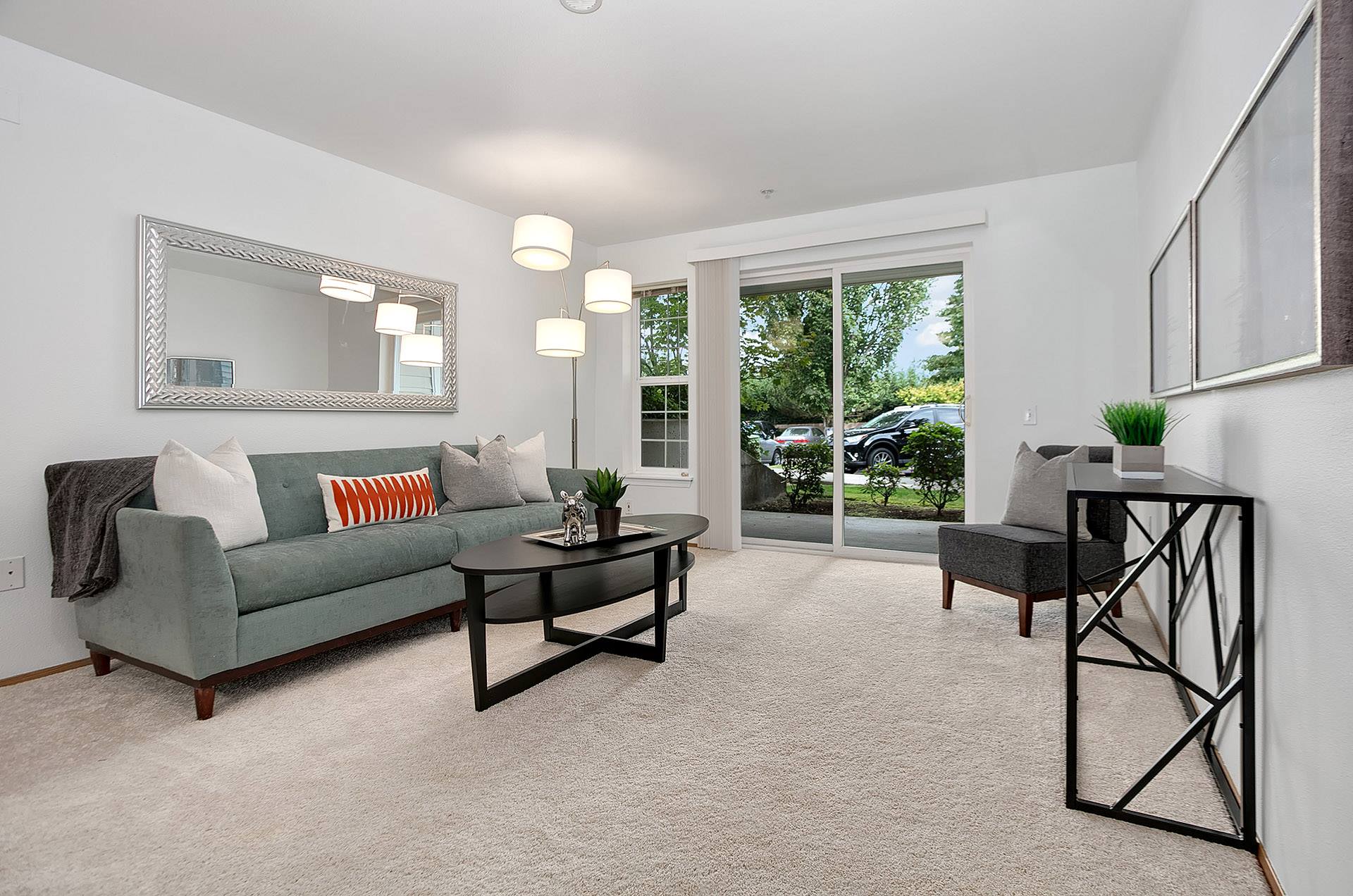
    Real Estate Photography 231 TipsLighting plays a massive role in real estate photography. The placement and the type of lighting used should always blend properly with other elements such as color selection, size, and arrangement of furniture to transform a room that is photograph-ready. On the outside, most exterior lightings come naturally with the direct light from the sun.

    Utilizing the beauty of using sunlight could reveal the real potential of the property for sale. It can elicit positive reactions from potential customers. On the interior end, a bright living area could be a convincing factor to allow buyers to imagine hosting a party or an event there on weekends. For you to attract buyers, you must convince them both visually and emotionally. Presenting your buyers with a well-organized and properly lit home could be the answer.

    Ultimate Lighting Tips for Real Estate Photography

    Before embarking on the ultimate lighting tips for real estate photography, let us first have a little review on the primary aspects to consider when examining your light. In digital photography, lighting techniques cover a wide variety of considerations. Real estate photography lighting is not only about settings. Many photographers make use of lighting to express emotions. Below are the things to examine before you make your first photoshoot.

    Lighting Tips

    1. Examine how strong your light is. This is called intensity.
    2. Examine where the light is directed or inclined. This is called angle.
    3. Examine the difference between brightness and shadow. This is hardness or softness of light.
    4. Examine the color. This is its temperature, its warmth and coolness.

    Most people in the real estate business agree that correct lighting can spell the difference between your property flying off the market or simply hanging around for an unspecified period. Proper lighting always captures the best qualities your home can offer. Here are some insights to consider that will help you capture the best features of your house with correct lighting.

    1. Manage colors well

    • Use of lighting can add or remove overall colors of a room
    • Always brighten up those unwanted corners
    • Bright colors always stand out

    real estate lighting color

    The use of lighting can either increase or decrease the overall colors of a room. Colors could create an illusion in which darker colors can create a feeling that the room is small and cramped. Homes with recessed bright lighting that casts downward illumination is a good combination to the colorful walls surrounding the space. To perfectly showcase the whole house, the brighter its colors, the more it will stand out to buyers.

    2. Consider your space

    • Create a full-spectrum of natural light for dark-colored rooms
    • Maximize the use of natural light for areas with large windows and skylights
    • Lighting fixtures like lamps and hanging lights combined with natural light produce promising results


    No two houses are the same. Even if the house is a duplex or apartment type, they still have differences. When you consider both natural and artificial lighting, it helps bring out with the illusion of a space in your photo. It is very important for every real estate photographer to do examination of the fixtures first by tuning all the lights in the room. When the furniture is tightly spaced together, consider removing an extra chair to have more breathing room for the remaining furniture. With your creativity, you need to make a full-spectrum of natural light for dark-colored rooms. If the house has a skylight or is built with large windows, make a daytime appointment for your shoot so that you can capitalize on using natural light.

    3. Make use of positional lighting

    • Highlight important elements
    • Lighting changes the perceived size of the room

    Making use of positional lighting can provide the much-needed illumination for the whole house. The significance of positional lighting is to highlight important elements of the house. This is done by pointing the necks of the lights at specific elements. There are also lighting fixtures in a real estate property like recessed lighting and mirror frames that have built-in lighting that, when combined together, will help completely change the size perception of the room.

    4. Make use of multiple wireless flashes

    • Make large rooms well-lit
    • Scatter of light is consistent

    Professional real estate photographers make use of multiple wireless flashes as their preferred method. Though setting up requires more time and money, it is the only way to make large rooms very well-lit. The use of multiple wireless flashes will help expose the room and window light scattered consistently. This is one of the many ways in exposing the room’s best assets.

    5. Make use of the different types of flashes

    different types of flashes real estate photography

    • Focus the shadow to specific locations
    • Direct the light fronting the house
    • Highlight the features of the property

    In many instances, it’s very usual to bounce a flash when shooting an interior. A single bounced flash will fill in any shadow to focus on specific features of the room. In shooting exteriors, fill flash can also be valuable. You can easily direct the light fronting the property by using a hot shoe flash. This will highlight the structure instead of the landscape.

  • Simple Ways on How to Install Presets on Adobe Lightroom

    Simple Ways on How to Install Presets on Adobe Lightroom

    It is known to every photographer the different features that Lightroom has in its arsenal. It is filled with remarkable features that can make every photographer’s life worthwhile. But this is not exclusively for photographers only. Lightroom is for everyone to enjoy – from people working at home to students, to office workers, for everybody. Once you learn its excellent features, you can edit photos the way you like to see them.

    Lightroom is a retouching tool for photographers and photo editors. This software is filled basically with great features that can make every editor’s photo processing works easier. Post-production processes are time-consuming for real estate photographers. Installing Lightroom presets will allow both beginners and skilled editors to edit images with a lot of ease. This is in stark contrast if you are using manual editing. These presets are predetermined settings offered in clusters which are always based according to specific themes.

    How to Install Presets

    Presets on Adobe LightroomMaybe you’re into Adobe Lightroom presets but you don’t know how to import them in the Lightroom or at least put them in a folder. This is a tutorial about the simple ways on how to install presets on Adobe Lightroom or organize them in folders to set little themes and import them into the program for future use.

    You can simply follow these steps and it doesn’t matter if you’re on Mac or PC. It’s still the same thing that you will be doing. To import some different presets, you first need to have different custom sets like K1, FLP, the Moody Collection aside from the custom-created presets and well as the ones which came from Lightroom when you get the new upgrade.

    1. Go to your favorite preset website

    The first thing you need to do is go to your favorite preset website whether it’s paid or free. One of the most popular sites is the Free Lightroom Presets which can be Googled easily. You need to go to each of the different presets and click the ones you like most. As soon as it is loaded up, you can click Download Preset. It will go directly to your Download files in a Zip folder.

    2. Unzip the file

    Once you see the FLP Zip folder, you must unzip the file and you will get a folder. Inside that folder includes the actual preset template.

    unzip presets

    3. Move to your chosen folder

    The next thing you must do is move that preset template to the folder you made before and add it to the other presets that you downloaded (if there’s any).

    4. Go to Lightroom Preferences

    LR Preferences in PC
    PC


    LR Preferences in MAC
    MAC

    Once you get back into your Lightroom, all you need to do is go to your Preferences. For Mac users, all you must do is click the Lightroom icon on the upper left corner of the screen and click on Preferences. But for PC (Windows users), you must go to Edit and then Preferences.

    5. Dialog Box will show up

    After hitting the Preferences, a dialog box will pop up. Make sure that you click Presets so that it will be highlighted. Go to Show Lightroom Presets Folder and once you click on that, another menu will open. Make sure that you select that Lightroom folder and click Develop Presets.

    6. Develop Presets Folders

    From this folder, you will see all the different presets that you have already installed. If you haven’t installed any presets yet, this is the place where you will have all your presets.

    7. No installed presets

    If you want to install presets, you need to go to File and click New Folder Window. Form there, you will be shown another box for you to select the folder that you made for your downloaded presets. You can click that folder and Drag and Drop to the Develop Presets Folders.

    8. Go back to Lightroom and restart

    After saving all the downloaded folders to the Develop Presets Folders, you may go to your Lightroom once more. But you may not see it right away so all you need is to exit from your Lightroom to restart.

    9. Look for your Lightroom presets

    After Lightroom has restarted, you can now see at the Presets Dialog box on the left side of your Lightroom screen all the presets that you added. You can now go ahead and start using them that you see fit.

    Guide: https://enviragallery.com/how-to-find-lightroom-presets-and-manage-your-collection/

  • 4 Steps to Retouch your Real Estate Photo Using Adobe Photoshop CC

    4 Steps to Retouch your Real Estate Photo Using Adobe Photoshop CC

    A photographer does not only consider the right time of day to create good shots. There are factors which are considered important in developing high-quality real estate photos. But this is just the beginning. Photo retouching works will consume lots of your time to enhance real estate photos. These retouching skills are essential to create magnificent photos for prospective clients and become interested in the property you are selling.

    Use Photoshop CC to Retouch your Real Estate Photos

    Real Estate Photo Using Adobe Photoshop CCReal estate photo retouching is one of the most common tasks to be done when it comes to property image enhancement. To make photo retouching using Adobe Photoshop CC, it is important to have this application downloaded to your PC or Mac. Editing and previewing of Canvas should be done first for the blank page to show up.


    Unlocking the background layer is done by the LOCK symbol. You need to double click this so that a new layer screen will pop out. To add more layers, simply click the DUPLICATE LAYER or NEW LAYER. Take note that if you have three new layers, you need to work on a separate layer for circle and colors, and always save your work.

    4 Steps to Retouch Real Estate Photos using Photoshop CC

    There are countless options that photo editors can use to retouch real estate images. In this way, photos will look perfectly amazing. Below are some of the basic retouching techniques for real estate photography.

    1. Make color correcting a priority.

    Color correction is probably the most basic essential step in real estate photo retouching. Depending on the kind of property you want to advertise or sell, it is important to adjust the saturation, hue, and tint. Adjusting greens is a common color error in real estate photography. You need to capture the dynamics of the exteriors that can be challenging to newbies.

    What you will do is choose Adjustment after selecting Image. Select Yellow afterward from the drop-down menu to adjust the Hue to +15 and Saturation to -5. You can also adjust the hue, saturation, and lightness by selecting Green from the drop-down menu.


    How to fix color casts for Real Estate by Nathan Cool Photo
    More tips here: https://helpx.adobe.com/photoshop/how-to/adjust-correct-color-balance-photoshop.html

    2. Make sure the lines are straight.

    A very important rule when shooting properties is to become extra careful with the lines. A straight line is always important in making the property look great. This happens when the camera is not angled properly. Regardless if it is an interior or an exterior shooting, it is important to make sure that the lines are straight. In using Photoshop CC, aligning and straightening of lines can be done using Free Transform. In using this feature, make sure that the entire image is selected and try to drag the corner of the photo adjacent to where the lines are leaning towards.

    exterior photography

    • You can also click on the Rectangular Marquee from the Toolbar and select the entire image.
    • Click the Edit and Transform. From there, click the Skew from the drop-down menu.

    Drag the corner of the picture to the left if the property is leaning to the right. Make it a point that you need not pull too far because this might be very unrealistic. Click the Check button after the edges are aligned and are all straight.

    3. Space must be evenly lighted.

    One of the most common problems that are encountered in real estate photography is the uneven distribution of lighting. This problem can create unwanted shadows and undesirable dark areas. To avoid this problem, you can drag the Shadows bar to the right to open the shadows a bit. You can also drag your highlights bar to the left to move the hot spots down.

    interior photography

    Lighting up the corners of the interiors is also a challenge.

    • To balance and even out lighting, go to the Dodge tool. Select the right size of the brush to work with. To add brightness to the darker part, drag the Dodge tool over the darker area.
    • You then need to go to the Filter menu and select Sharpen and click on Unsharpen Mask. To get clearer and quality details, increase the amount then finally click OK.

    4. Remove unwanted objects from your photo.

    There are times when unwanted objects roam around your photos. Using the Clone Stamp Tool, you can declutter those unwanted objects, start cloning and painting over the objects. You can do this by simply clicking the Clone Stamp Tool and selecting the source area. To define the clone source, you can Alt-click for Windows or Option-click for Mac.

    Under the Clone Source, you can do many things to those unwanted objects. You can flip clone source, resize, squash or stretch clone source, rotate clone source, or display options when painting with the clone tool. You can also offset of a painting area from the clone source and have options to video.

    Step by step tutorial: Remove objects with the Clone Stamp tool

    Featured photo credit to https://helpx.adobe.com/

  • 9 Mistakes When Hiring an Amateur Real Estate Photographer

    9 Mistakes When Hiring an Amateur Real Estate Photographer

    There are varying reasons why hiring the services of professional real estate photographers is considered important to a real estate business. These professional and highly trained individuals are the people equipped to see every detail of the project that an untrained eye may not see. Having a professional and well skilled photographer at your side will not only save you time and money but he could also share his or her invaluable wisdom in the process of selling a real estate property in the modern era.

    But when you are just a beginner in the real estate business, you’re bound to make numerous photography mistakes. Those mistakes could be beneficial if you really want to master the art of selling. There is no reason to commit mistakes but there’s always room for improvement. Hiring the services of an amateur real estate photographer will always show signs of amateurism. Therefore, they are prone to commit common mistakes that will eventually discourage clients.Amateur Real Estate Photographer 2

    Below are the 9 common mistakes an amateur real estate photographer should avoid.

    1. Amateur photographers converge verticals and place incorrect horizontals

    The convergence of verticals and incorrect horizontal placements are just two of the common issues made by those people who are just beginning to make real estate photography as their bread and butter. These problematic issues are familiar mistakes associated with camera angles in taking exterior photos which can be noticeable when using wide-angle lenses.

    2. Incorrect white balancing

    White balancing is the removal of unrealistic color casts to make objects appear white. One of the most obvious signs of incorrect white balancing is that the photos don’t give the true color of the space. Amateur photographers have no eye on the use of numerous light sources that give different temperatures. If this is the case, the use of proper flash should be done in order to overpower multiple light sources.

    3. Work may suffer from lens distortion

    Amateur photographers often rely much on cheaper photography equipment. The use of cheap lenses will render problems in the post-production adjustment. Commonly known as the “Fisheye” lens, the subject being too close to the lens can cause distortion. Professional real estate photographers make sure that proper distancing is observed relative to the subject.

    4. Where is your list?

    Real estate photography is usually fast paced. Especially when budgets are low, clients are always in a rush in getting the job done. It is the assignment of the photographer to list down all the possible areas because each property has unique details. Always start with the fundamental shot list before proceeding to the more modified piece of work. Having your own list will gain you the feedback you need from your clients and this will be ideal in creating your market.

    5. Toilet seats are open

    This is a very common mistake an amateur photographer normally commits. Leaving the toilet seats open is not good especially when presenting to prospective buyers. So before taking photos inside the ‘Do not disturb’ area, it is important to close the toilet seat first before taking photos.

    6. Hot flash marks

    Areas identified with hot flash spots are distractions that are not pleasing to the eyes. Light sources like on-camera flash, ceiling lights and strobes can cause flash glare. Usually, these hot flash spots appear as reflections in mirrors, windows and glasses. Water can also cause glares when the outdoor shoot is done on a hot sunny day. To answer this concern, the use of light diffusers like umbrellas can bounce your flash off.

    7. Post-production tone mapping mistake

    Real estate HDR photography are oftentimes over-processed. While post-processing is an essential tool for the artistic conceptualization of the image, this is not basically what you are really aiming for in real estate photography. This is a common mistake when hiring the services of an amateur real estate photographer. Unknowing during post-processing, they use invalid settings for tone mapping. This occurs when raw images are batch-processed, or only ambient exposures with no flash or proper lighting took place during the shoot. In order to fix this issue, proper lighting space is recommended.

    8. Hard shadows appear

    Just like when hot flash marks appear, the use of umbrellas to diffuse or bounce back can be suggested when rooms look dark. When this happens, dark shadows occur. These shadows can also create dirtier ambience on the walls and ceilings. Minimize the use of on-camera flash or avoid shooting the flash upfront without diffusing it.

    9. Lacking the needed preparation before the shoot

    It is important to have a complete housekeeping and decluttering of the area before a shoot happens. Areas and spaces must be organized in order to get the attention of the clients. A clean and well-organized area is very pleasing to the eye. Every real estate listing that you have must be orderly and cleanliness must always be preserved.

    Related articles:

  • The Principles of High Definition Real Estate Photography

    The Principles of High Definition Real Estate Photography

    One of the most sought after real estate listings are those with high definition and crispy content. Pictures must be shown clearly online. They should expressly provide the edge in luring potential customers in buying your products. Providing high resolution photos can give you a gigantic advantage to engage with the buyers with the help of your well-designed real estate listings for your virtual tours.

    Advantages of Using High Definition Real Estate Photography

    There has been a lot of remarkable development of real estate photos over the last decade. Competition wise, there is always a reason when and why you should hire the services of a professional real estate photographer. High definition photos will be advantageous in selling your listing faster. They are also great paths in attracting more buyers and sellers to your business.

    HD Real Estate Photography

    Before going into the different advantages of using high definition real estate photography, it is also important to know the important tools used by a professional real estate photographer to come up with high definition photos. Photographers should have:

    • High-quality Camera

    When buying a camera, it is advisable to pick a camera with a large full frame sensor that will create a 1:1 ratio. Anything less than 1:1 ratio will create a loss of space. It would be a plus if the camera has an automatic exposure bracketing feature.

    • Wide Angle Lens

    Using a wide-angle lens camera will let you shoot the whole perspective of the shot especially when shooting the interiors of a room. One of the effects using a wide angle lens to the viewer is that it makes him feel that he is actually inside that room.

    • Tripod

    The tripod is an indispensable item for a photographer. With the help of a tripod, it always keeps the shot at camera level.

    • Photo Editing Software

    To improve real estate photographs, software is being used to improve digital images, correct minor mistakes, or eradicate blemishes. Adobe’s Photoshop is the most popular editing software which is very essential to a photographer’s exact envisioning of his shots.

    • External Flash Items

    Every camera has a built-in pop-up flash. But a camera always needs an extra flash. This is important if there is no extra light around. With the use of multiple flashes, it can light particular parts of the image you want to shoot.

    • Light Meter

    A light meter is an apparatus that selects the correct exposure for a photo. This equipment allows the photographer to choose the perfect aperture and shutter speed.

    • Website

    Having an attractive website is what entices clients to visit it. Make it a point that the template you are using for your website will offer a correct and complete package for every individual visiting your website.

    The use of the different principles in creating high definition real estate photos clearly work to every photographer’s advantage.

    1. They can make blue skies in every image. Oftentimes, images are photographed during cloudy skies. Because of having the knowledge about blue sky replacement, clients can be blown away by how great their property looks in gloomy weather.

    2. Photos will always be upright and vertically levelled using perspective correction. High definition images are always checked for misaligned edges and corners.

    3. Application of whites and colors are accurate. The colors of the interiors and the different objects inside the house seem natural and real.

    4. High definition real estate photos help agents sell more properties at a higher price. They can also sell houses at a faster pace. The creation of eye-catching images can propel buyers to act quickly and decisively.

    5. HD photos are social media magnets. These kinds of photos can be uploaded to a Facebook gallery that will serve as virtual a tour guide. Social media is a breakthrough in terms of marketing your real estate photography business.

    6. Qualify yourself as a professional. The perception of buyers has a lot to do with you becoming a highly professional photographer because of the HD images you have advertised. You don’t need to attain the highest educational degree possible. You just need to surround yourself with the right people to produce HD photographs.